Secure Travel Connectivity Guide for International Trips
TL;DR:
- Secure travel connectivity combines reliable internet access with active data privacy protection on foreign networks to safeguard travelers. Using layered tools such as VPNs, eSIMs, travel routers, and disciplined device habits, travelers can minimize risks from public WiFi, compromised networks, and fake hotspots. Proper preparation and sequential connection procedures ensure maximum security throughout trips, especially when activating eSIMs before landing and maintaining vigilant device hygiene.
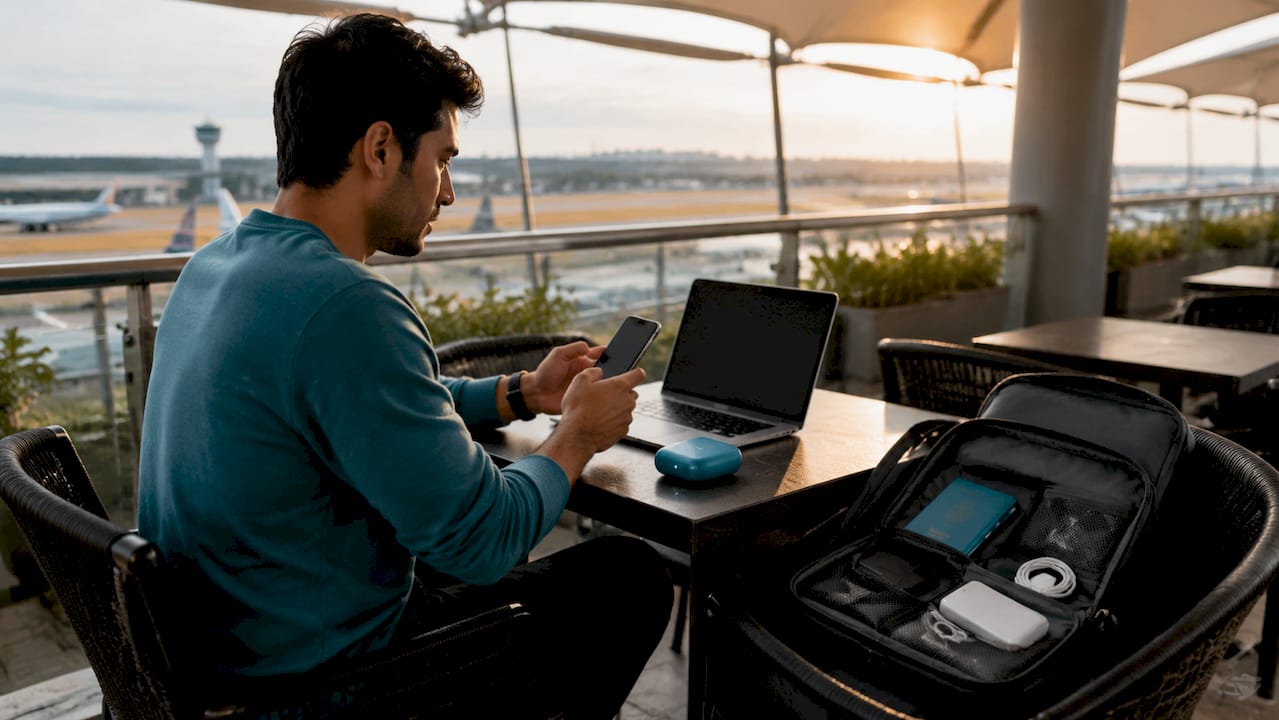
Secure travel connectivity is defined as the combination of reliable internet access and active data privacy protection across foreign networks. Public WiFi eavesdropping, compromised hotel networks, and fake hotspots are the three most common threats international travelers face in 2026. The tools that counter them, including VPNs, eSIMs, travel routers, and disciplined device hygiene, form a layered defense that keeps your data private and your connection stable. This guide walks you through every layer, from pre-trip setup to real-time troubleshooting, so you arrive connected and protected.
What are the best tools for secure travel connectivity?
Secure travel networks depend on four core technologies working together. No single tool covers every threat, but each fills a specific gap.
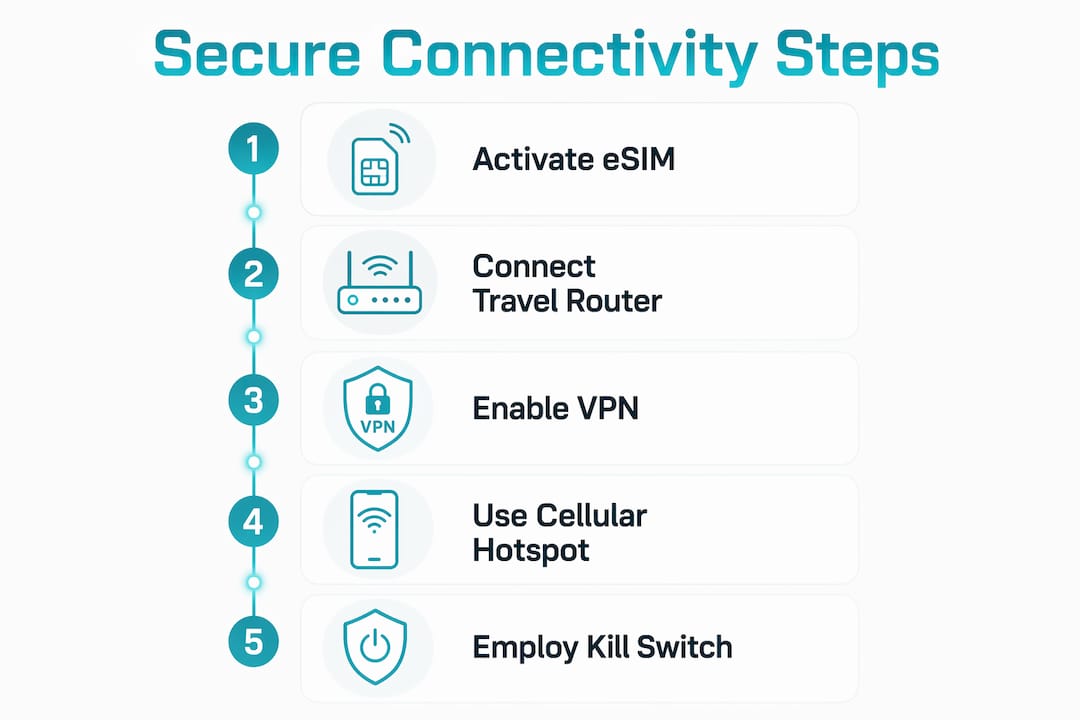
VPNs encrypt traffic between your device and a remote server, making public connections far harder to intercept. A quality multi-device VPN subscription costs $50 to $100 per year and takes roughly 15 minutes to configure with auto-connect enabled. Services like ExpressVPN, NordVPN, and Mullvad all offer kill switch features that cut your internet if the VPN drops, preventing accidental exposure.
eSIMs let you purchase and activate a data plan before you leave home, bypassing the physical SIM kiosk entirely. eSIM activation before departure eliminates the gap between landing and getting online, which is exactly when travelers are most tempted to use airport WiFi. Most modern iPhones, Google Pixel devices, and Samsung Galaxy phones support eSIM natively.
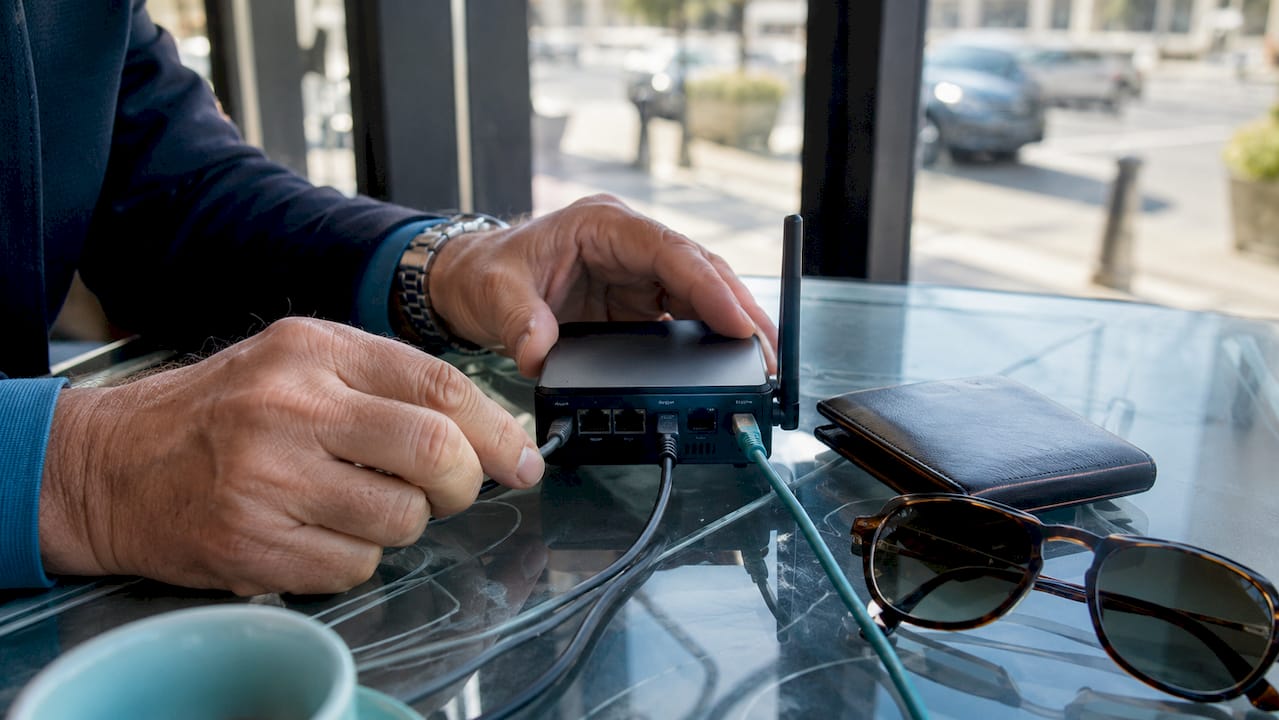
Travel routers are compact devices that connect to a hotel or cafe network and rebroadcast a private, encrypted WiFi signal to all your devices. The Digital Forward Operating Base strategy treats the router as a hardened perimeter, so your laptop, tablet, and phone never touch the hostile network directly. Brands like GL.iNet and Beryl AX are popular choices among frequent travelers.
Cellular hotspots are more secure than public WiFi by default because cellular data is harder to intercept at scale. Government cybersecurity guidance treats public WiFi as a last resort and favors cellular data for sensitive tasks like banking or email.
| Tool | Primary benefit | Typical cost | Setup complexity |
|---|---|---|---|
| VPN | Encrypts all traffic on any network | $50–$100/year | Low (15 min) |
| eSIM | Cellular data without physical SIM | Varies by plan | Very low |
| Travel router | Secure WiFi bubble for all devices | $50–$150 one-time | Medium |
| Cellular hotspot | Avoids public WiFi entirely | Included with eSIM plan | Very low |
Pro Tip: If you carry a GL.iNet travel router, you can pre-load your VPN credentials before departure so the router connects automatically the moment you plug it in at your hotel.
How to prepare your devices before traveling
Device preparation is the step most travelers skip, and it is the step that causes the most preventable breaches. Disabling auto-join for WiFi, turning off Bluetooth and NFC, and using a generic device name instead of your real name shrinks your attack surface before you even board the plane.
Run through this checklist at least 48 hours before departure:
- Update your operating system, browsers, and all apps, especially your VPN client
- Disable WiFi auto-join so your phone does not silently connect to familiar network names spoofed by attackers
- Turn off Bluetooth and NFC when not actively in use
- Set up multi-factor authentication on email, banking, and travel apps; store backup codes in a secure offline location
- Configure your VPN app to auto-connect on untrusted networks and activate the kill switch
- Remove sensitive files and uninstall apps you will not need on the trip
- Enable full-disk encryption on your laptop if it is not already active
Multi-factor authentication with backup codes is non-negotiable. Losing access to your email account in a foreign country because you did not prepare backup codes is a situation that ruins trips and costs hours to resolve.
Pro Tip: 1Password’s Travel Mode lets you hide sensitive vaults from your device while crossing borders. Customs agents in some countries have the authority to inspect devices, and Travel Mode removes those vaults from view entirely until you restore them remotely.
One more hardware note: public USB charging stations can be compromised to steal data through the charging cable. Carry your own wall charger or use a USB data blocker, sometimes called a “USB condom,” which passes power but blocks data pins.
Step-by-step guide to connecting securely from airports, hotels, and cafes
The order of operations matters more than most travelers realize. Skipping a step or reversing the sequence can expose your data even if you have every tool installed.
- Connect to the public WiFi network without enabling your VPN first
- Open a browser and complete the captive portal authentication (the login page the network requires)
- Once the portal confirms access, immediately enable your VPN or connect your devices through your travel router’s encrypted tunnel
- Verify the VPN is active before opening any apps, email, or browser tabs
- If using a travel router, connect your phone and laptop to the router’s private network, not the hotel WiFi directly
- For sensitive tasks like banking, switch to your eSIM cellular data entirely and disable WiFi
Captive portals block VPN usage until authenticated, which is why enabling the VPN before completing the portal login breaks your connection. This is one of the most common mistakes travelers make and one of the easiest to fix once you know the sequence.
| Common pitfall | What goes wrong | Fix |
|---|---|---|
| VPN on before captive portal | No internet access | Authenticate portal first, then enable VPN |
| Forgetting kill switch | Unencrypted traffic if VPN drops | Enable kill switch in VPN settings |
| Using hotel WiFi for banking | Data exposed on shared network | Use eSIM cellular data for financial tasks |
| Auto-joining known network names | Connects to spoofed hotspot | Disable auto-join before travel |
Pro Tip: Activating your eSIM data plan the moment you land means you can skip the airport WiFi entirely. Use cellular data to authenticate hotel check-in apps, check maps, and send messages before you ever touch a public network.
How to maintain secure connectivity on the road
Ongoing habits matter as much as the initial setup. Travelers who configure everything correctly before departure but then ignore security on the road still get compromised.
The most common ongoing mistakes include leaving file sharing or AirDrop enabled on public networks, forgetting to remove old public networks from device memory, and ignoring VPN reconnect failures. Here is how to stay sharp throughout the trip:
- Disable AirDrop and file sharing every time you connect to a new network
- After leaving a hotel or cafe, forget that network from your device’s saved list
- Check your VPN app daily to confirm the kill switch is still active and the connection is stable
- Watch for signs of a fake hotspot: network names that mimic legitimate ones with slight spelling variations, unusually slow speeds, or repeated certificate warnings in your browser
- If your primary VPN server fails, switch to a different server region rather than dropping VPN entirely
- Keep your travel router firmware updated, since outdated firmware is a known attack vector
A travel router’s kill switch or “block without VPN” mode is the single most important hardware feature for preventing data leaks when VPN connections drop unexpectedly. Without it, your devices silently revert to the unencrypted hotel network the moment the VPN hiccups.
Battery management also connects to security. A dead phone forces you onto public WiFi or shared charging stations, both of which carry risk. Carry a power bank rated for at least two full phone charges and treat it as security equipment, not a convenience item.
How does modern eSIM technology enhance secure travel connectivity?
eSIM technology removes the physical and logistical friction that used to push travelers toward insecure public networks. Activating eSIM data immediately after landing means you have cellular data for navigation, communication, and banking before you reach baggage claim.
The privacy advantages go beyond convenience. Traditional SIM purchases at airport kiosks require showing a passport and sometimes completing a registration form, creating a paper trail. Crypto-enabled eSIM providers like Cryptoesim allow you to purchase a plan using Bitcoin, Ethereum, or over 300 other tokens without creating an account or submitting identification. That level of privacy is meaningful for travelers who work in sensitive industries or simply prefer not to hand personal data to a foreign telecom operator.
The practical workflow for combining eSIM with a travel router is straightforward:
- Purchase and install your eSIM plan before departure using Cryptoesim’s platform
- On arrival, enable the eSIM and confirm cellular data is active
- Connect your travel router to the hotel WiFi as a backup or secondary connection
- Route all router traffic through your VPN tunnel for encrypted browsing
- Use eSIM cellular data directly for any task involving financial accounts or sensitive communications
Mobile data for travelers is not a luxury upgrade. It is the baseline that keeps you off hostile networks during the moments when you are most distracted and most vulnerable, like navigating an unfamiliar airport or checking into a hotel at midnight.
Pro Tip: Buy your eSIM plan 24 to 48 hours before departure and test activation at home. Troubleshooting a failed eSIM install is far easier from your couch than from a foreign airport with no connectivity.
Key takeaways
Secure travel connectivity requires layered tools and deliberate habits. No single app or device replaces the full stack of VPN, eSIM, travel router, and pre-trip device hardening.
| Point | Details |
|---|---|
| Authenticate before VPN | Complete captive portal login first, then enable VPN to avoid broken connections. |
| Layer your tools | Use VPN plus eSIM plus travel router together for full coverage across all threat types. |
| Prepare devices 48 hours out | Update software, disable auto-join, and configure kill switch before departure. |
| eSIM beats airport WiFi | Activate eSIM on landing to skip public networks during your most vulnerable moments. |
| Kill switch is non-negotiable | Enable kill switch on both VPN app and travel router to prevent silent data leaks. |
What I’ve learned after years of traveling with these tools
The first time I used a travel router abroad, I was skeptical. It felt like overkill for a two-week trip. By day three, the hotel WiFi had already served up a certificate warning on a banking site, and I was glad every device on my network was tunneled through an encrypted connection before that happened.
The honest truth about hotel WiFi is that most of it is poorly managed. Network names are rarely verified, firmware on the access points is often years out of date, and the same network serves hundreds of guests with no traffic isolation between them. Treating hotel WiFi as a hostile network is not paranoia. It is an accurate assessment.
What surprised me most was how little friction the full setup actually adds to a trip. Configuring a GL.iNet router takes about 20 minutes the first time. After that, it is plug-in-and-go. The eSIM workflow through Cryptoesim is even faster. I now spend less time worrying about connectivity security than I did when I was improvising solutions at the airport.
The one area where travelers consistently underestimate risk is the gap between landing and getting settled. That window, when you are tired, distracted, and reaching for any available WiFi signal, is when most mistakes happen. Pre-activating an eSIM before departure closes that gap entirely. It is the single change that has made the biggest difference in my own travel security practice.
— Mohammed
Stay connected and protected with Cryptoesim
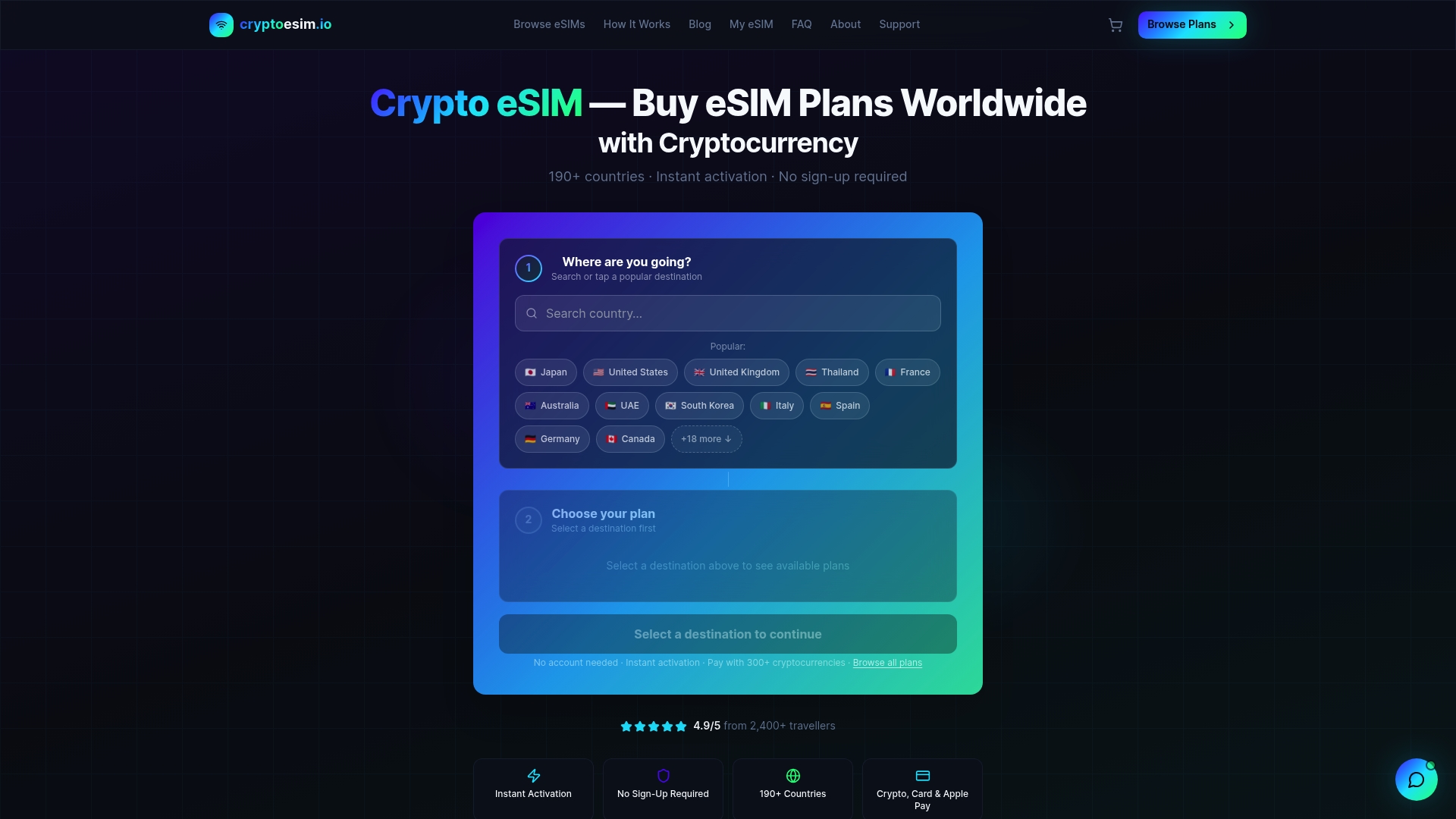
Cryptoesim offers instant eSIM data plans across 190+ countries with no account creation required and no KYC process. You can pay with Bitcoin, Ethereum, credit card, or Apple Pay and receive your eSIM activation details immediately. For travelers who want cellular data ready before they land, the platform’s eSIM packages cover the destinations where public WiFi risk is highest. Pair a Cryptoesim plan with a travel router and VPN, and you have a complete secure connectivity setup that works from the moment you step off the plane.
FAQ
What is secure travel connectivity?
Secure travel connectivity is the practice of maintaining reliable internet access abroad while protecting data from interception on public or foreign networks. It combines VPNs, eSIMs, travel routers, and device hygiene into a layered security approach.
Is public WiFi safe to use while traveling?
Public WiFi is not safe for sensitive tasks. Government cybersecurity guidance treats public WiFi as a last resort and recommends cellular data or a VPN-encrypted connection for any activity involving personal accounts or financial data.
How does an eSIM improve travel security?
An eSIM lets you activate cellular data before departure, eliminating reliance on airport or hotel WiFi during arrival. Providers like Cryptoesim also offer no-KYC purchase options, which reduces the personal data you share with foreign telecom operators.
What is a travel router kill switch?
A kill switch on a travel router blocks all internet traffic if the VPN connection drops unexpectedly. Without it, devices silently revert to the unencrypted underlying network, exposing data without any visible warning to the user.
Do I need both a VPN and an eSIM?
Yes. A VPN encrypts traffic on any network you use, while an eSIM provides a private cellular connection that avoids public networks entirely. Together they cover different threat scenarios and give you a reliable fallback if one connection fails.