Security Tips for Global Connectivity: 2026 Guide

TL;DR:
- Protecting data, accounts, and devices across international borders requires layered security strategies, including device hardening and the use of authenticators and hardware keys. Using cellular-based connections like eSIMs provides stronger encryption and verification than public Wi-Fi to reduce security risks while traveling. Preparing backup codes, updating devices, and minimizing stored data help travelers avoid breaches and account lockouts abroad.
Secure global connectivity is defined as the practice of protecting your data, accounts, and devices when using mobile networks across international borders. Nearly 50% of consumers have experienced a data breach, and 1 in 4 Americans have been identity theft victims. Those numbers make proactive security non-negotiable for anyone traveling with a smartphone. The most effective security tips for global connectivity combine multi-factor authentication (MFA), device hardening, and network discipline into a layered defense that holds up even when you’re 10 time zones from home.
1. Which MFA methods actually protect you abroad?
SMS-based two-factor authentication breaks down the moment you cross a border. SIM swapping attacks, roaming failures, and network interception all make SMS codes unreliable and unsafe for international travelers.
Authenticator apps like Google Authenticator or Authy generate time-based codes locally on your device. They work with no cellular signal and no roaming plan. Authenticator apps and hardware security keys function independently of local cellular networks, which is exactly what you need when your home carrier has no coverage.
Hardware security keys, such as YubiKey, go one step further. They require physical possession of the key to authenticate, which stops remote attackers cold. Carry two keys when traveling: one in your bag and one stored separately.
- Switch all critical accounts (email, banking, work tools) to an authenticator app before departure
- Register a hardware security key as a second backup factor where supported
- Download and store backup codes offline in an encrypted file or printed copy locked in your hotel safe
- Remove your phone number as an account recovery option where the platform allows it
Pro Tip: Generate and print backup codes for your five most critical accounts before you leave. A lockout in a foreign country with no SMS access is a genuine emergency.
2. How to harden your devices before you leave
Device hardening is the single most effective way to reduce your attack surface before traveling internationally. Most travelers focus on what networks to avoid, but the device itself is where most breaches begin.
Update your operating system, browser, and security tools at least 48 hours before departure. Avoid major OS upgrades mid-trip. A failed update in an airport lounge with spotty Wi-Fi can leave your device in a broken state with no easy fix.
- Remove apps you will not use on the trip. Every installed app is a potential attack vector.
- Revoke old OAuth tokens and app authorizations through your Google, Apple, or Microsoft account settings
- Disable auto-join Wi-Fi and turn off Bluetooth when you are not actively using it
- Enable full disk encryption. On iOS this is on by default; on Android, verify it in your security settings
- Set a strong screen lock using a PIN of at least 8 digits or a complex alphanumeric passcode
Device hardening focused on resilience outperforms any strategy built around simply avoiding public Wi-Fi. A locked-down device on a bad network is safer than an unpatched device on a trusted one.
Consider creating a travel profile or using a secondary device with only the apps and accounts you need. Minimizing data stored on the device limits what an attacker or border agent can access.

3. What are the safest network practices for mobile travelers?
Your network choice is your first line of defense, and cellular beats public Wi-Fi on every security metric. Cellular networks require SIM-level identity verification and use stronger encryption by default. Public Wi-Fi networks in hotels, airports, and cafes offer neither.
eSIM-based data plans give you cellular-grade security without swapping physical SIM cards. Cryptoesim provides instant eSIM activation across 190+ countries, letting you connect to local cellular networks the moment you land. That means you skip the airport Wi-Fi entirely.
| Network type | Encryption | Identity verification | Rogue AP risk |
|---|---|---|---|
| Public Wi-Fi | Minimal | None | High |
| Hotel Wi-Fi | Minimal | None | Medium |
| Cellular (eSIM/roaming) | Strong | SIM-level | Very low |
| VPN over public Wi-Fi | Moderate | None | Medium |
VPNs remain useful, but their role has narrowed. Modern HTTPS encrypts most web traffic, so a VPN’s primary value today is bypassing captive portals, countering DNS snooping, and accessing geofenced content. A password manager often protects you more than a VPN does.
When you do use a VPN, choose one with a kill switch and a modern protocol like WireGuard. The kill switch cuts your internet if the VPN drops, preventing accidental exposure on an unprotected network.
Devices auto-connecting to known networks broadcast network names that attackers use to set up rogue access points. Forget every travel Wi-Fi network immediately after use. Never let your device rejoin a hotel or airport network automatically.
Pro Tip: Verify the exact SSID with hotel staff before connecting. “Hilton_Guest” and “HiltonGuest” can look identical on a network list, but one may be a rogue hotspot.
4. How to build a resilient account recovery plan for travel
Account lockouts abroad are more common than most travelers expect. The combination of new IP addresses, foreign devices, and unfamiliar login patterns triggers fraud detection systems regularly. Pre-staging your recovery path before departure is not optional.
Only 44% of organizations have mature incident recovery capabilities under the NIST framework. Individual travelers fare no better without deliberate preparation. That statistic reflects how few people treat recovery as a first-class security concern.
- Generate backup codes for email, password manager, and any work accounts before you leave
- Store backup codes in an encrypted password manager vault and a printed copy in a separate bag
- Remove SMS as your account recovery method and replace it with an authenticator app or backup email
- Keep encrypted offline copies of your passport, visa, travel insurance, and key contacts
- Pause automatic cloud syncing for sensitive folders when connected to untrusted networks
Segment your travel communications from your administrative access. Use a separate email address for hotel bookings and local services. Keep your primary work and financial accounts off devices you use in high-risk locations.
5. Legal, compliance, and physical security risks travelers overlook
Border device searches are legal in many jurisdictions, including the United States, and officers can compel you to unlock your device in some countries. Data localization laws and unstable digital ecosystems demand a zero-trust approach to every network connection when traveling internationally.
Carrying minimal sensitive data and logging out of critical accounts before crossing borders significantly reduces your exposure. What is not on the device cannot be searched or seized.
- Research VPN and encryption laws for every country on your itinerary. Some countries restrict or ban VPN use entirely.
- Log out of banking, work, and sensitive personal accounts before crossing any border
- Use a secondary “clean” device for travel to high-risk jurisdictions. Load only what you need for that trip.
- Disable biometric unlock before approaching border control. A passcode offers stronger legal protection in many countries.
- Back up your device to encrypted cloud storage before departure, then wipe sensitive data for the crossing
“The traveler who arrives at a border with a device full of sensitive corporate data, active sessions, and no recovery plan has already made the most dangerous security mistake of the trip. Preparation is the only defense that works before the threat appears.”
AI-driven cyber threats are now the top driver of security change in 2026, with 94% of organizations citing AI as the primary force reshaping their defenses. Travelers face the same evolving threat landscape without the security teams that organizations rely on.
Key Takeaways
The most effective approach to global mobile security combines device hardening, MFA resilience, and cellular-first network discipline before you ever board a plane.
| Point | Details |
|---|---|
| Replace SMS-based MFA | Use authenticator apps or hardware keys; SMS fails abroad and is vulnerable to SIM swapping. |
| Harden devices before departure | Update software, remove unused apps, enable full disk encryption, and disable auto-join Wi-Fi. |
| Choose cellular over public Wi-Fi | eSIM and roaming plans offer stronger encryption and identity verification than hotel or airport Wi-Fi. |
| Pre-stage account recovery | Store backup codes offline and remove SMS recovery options before you leave home. |
| Minimize data at borders | Log out of sensitive accounts and carry only essential data when crossing into high-risk jurisdictions. |
What I’ve learned about security that most travel guides get wrong
Most travel security advice fixates on public Wi-Fi as the primary threat. After years of watching how real breaches happen, I think that focus is misplaced. The bigger risks are unpatched devices, reused passwords, and no recovery plan when something goes wrong.
The travelers who get into serious trouble are not the ones who used airport Wi-Fi once. They are the ones who had no backup codes, no offline document copies, and no secondary authentication method when their phone was stolen or their account was flagged in a foreign country.
Layered, adaptable controls beat any single perfect solution. Your goal is not to achieve zero risk. Your goal is to make sure that when one layer fails, the next one holds. That means a locked device, an authenticator app, backup codes in your bag, and a cellular connection you control.
The AI threat shift is real and worth taking seriously. AI is reshaping cybersecurity threats in 2026 faster than most individuals adapt. The practical response is not panic. It is keeping your software current, using strong unique passwords via a password manager, and treating every unfamiliar network as untrusted until proven otherwise.
— Mohammed
Cryptoesim: private, flexible connectivity for global travelers
Staying secure abroad starts with controlling your network connection. When you rely on public Wi-Fi or borrow a local SIM, you hand that control to someone else.
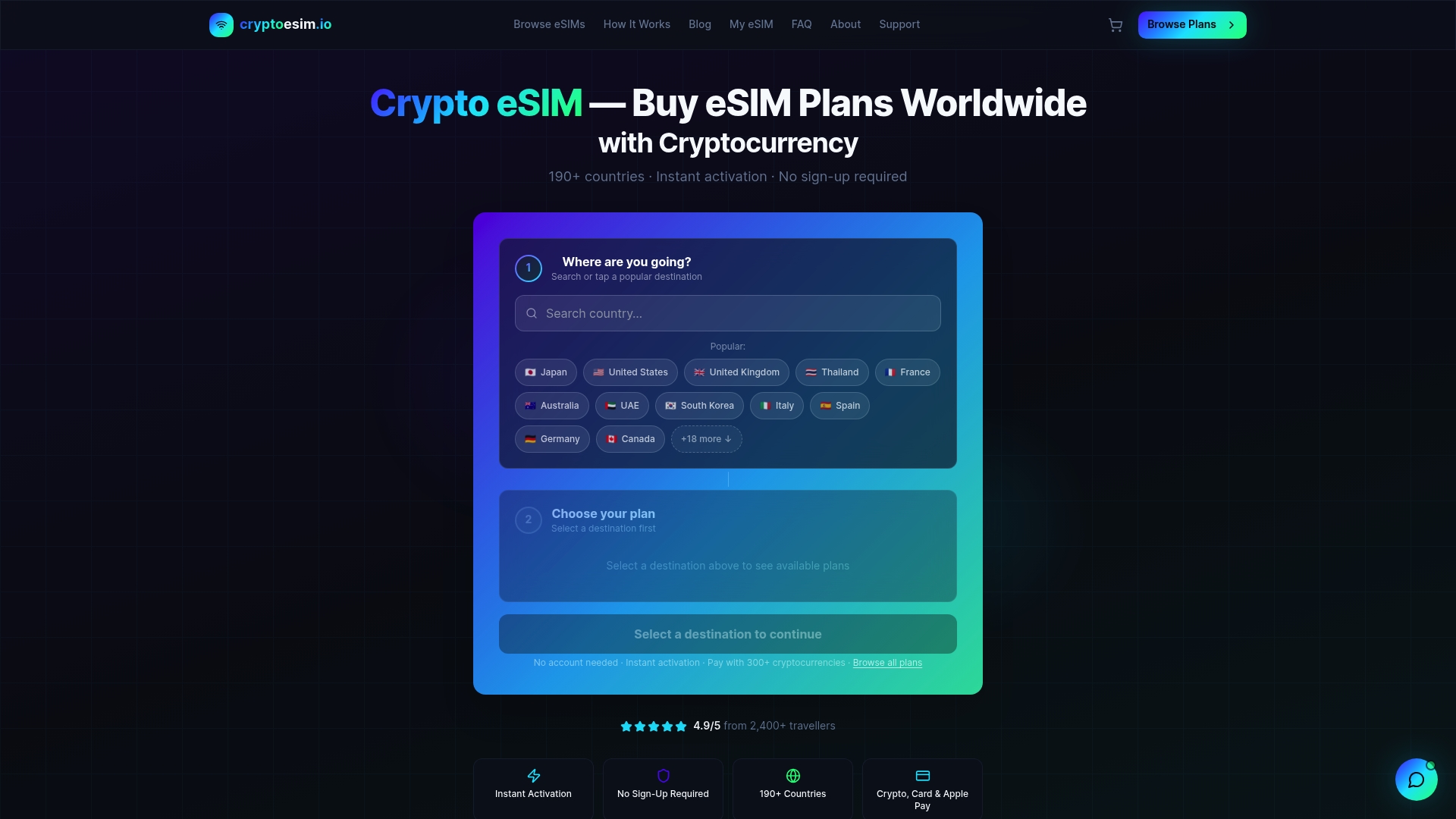
Cryptoesim gives you instant eSIM activation in 190+ countries with no account creation and no KYC required. You pay with Bitcoin, Ethereum, or over 300 other tokens, plus credit cards and Apple Pay. Your connection is cellular-grade from the moment you land, which means you skip the airport Wi-Fi risk entirely. For travelers who take their privacy seriously, Cryptoesim offers a no-KYC eSIM plan that keeps your identity out of the equation from purchase to activation.
FAQ
What is the biggest security risk for international travelers?
Unpatched devices and weak account recovery plans cause more breaches than public Wi-Fi. Prepare backup codes, update your software, and use an authenticator app before you leave.
Is a VPN necessary for safe international connectivity?
A VPN helps bypass captive portals and DNS snooping, but modern HTTPS already encrypts most web traffic. A password manager and strong MFA protect you more consistently than a VPN alone.
Why is SMS two-factor authentication unsafe abroad?
SMS codes are vulnerable to SIM swapping, roaming failures, and network interception. Authenticator apps generate codes locally on your device and work without any cellular signal.
Can border agents search my phone when I travel internationally?
Border searches are legal in many countries, including the United States. Logging out of sensitive accounts and minimizing on-device data before crossing reduces your exposure significantly.
How does an eSIM improve security compared to public Wi-Fi?
eSIM connections use cellular-grade encryption and SIM-level identity verification. That makes them far harder to intercept than open or hotel Wi-Fi networks, which offer minimal encryption and no identity checks.