eSIM Usage Tips 2026: The Traveler’s Guide

TL;DR:
- An eSIM is a digital, built-in SIM card that replaces physical cards, enabling easier international travel. Proper configuration, including compatibility checks, pre-departure activation, and correct dual-SIM setup, prevents costly roaming charges and connectivity issues. Preloading the right plan and securing OTP communication enhances security and streamlines global roaming experience.
An eSIM (embedded SIM) is a digital SIM card built directly into your device, replacing the physical plastic card entirely. For international travelers and digital nomads in 2026, mastering your esim usage tips 2026 means the difference between paying $0.02 per MB on a local plan and getting hit with a $200 roaming bill. Apple iPhone 15 and 16 series, Samsung Galaxy S24, and Google Pixel 9 all support eSIM natively. The tips below are ordered by impact, starting with the steps that prevent the most expensive and frustrating mistakes.

1. confirm eSIM compatibility before you pack
Device compatibility is the first thing to verify, and it takes under 30 seconds. Dial *#06# on your phone. If an EID (Embedded Identity Document) number appears on screen, your device supports eSIM. No EID means no eSIM support, and you need a physical SIM for your trip.
Most smartphones released in the past 3–4 years support eSIM, but carrier locks can still block activation. Check your device settings under “Cellular” or “Mobile Network” for an “Add eSIM” or “Add Data Plan” option. If that option is grayed out, contact your carrier to confirm your device is unlocked before departure.
Pro Tip: Label each eSIM line clearly in your phone settings. Names like “Home OTP” and “Travel Data” prevent you from accidentally routing calls or data through the wrong line at 2 a.m. in a foreign airport.
2. activate your eSIM on wi-fi before you land
eSIM activation completes within minutes when done on a stable Wi-Fi connection before travel. That speed matters because activating mid-trip, without Wi-Fi, can leave you stranded without data at the exact moment you need directions or a ride. Build in a 5–10 minute buffer to handle any carrier-side delays.
The activation process itself is straightforward: scan the QR code from your eSIM provider, confirm the plan details, and let the profile install. Cryptoesim delivers QR codes instantly after purchase, so you can complete the entire process from your couch the night before your flight. Never wait until you land to activate.
3. set up the ideal dual-sim configuration
The best dual-SIM travel setup keeps your home SIM active for calls and SMS while the travel eSIM handles all mobile data. This configuration prevents roaming shock and keeps OTP codes, WhatsApp, and iMessage working without interruption. Getting this wrong is the single most common cause of unexpected charges abroad.
Here is the exact configuration to use:
- Set your travel eSIM as the default for mobile data
- Set your home SIM as the default for calls and SMS
- Turn data roaming OFF on the home SIM line
- Turn data roaming ON on the travel eSIM line
- Disable “Allow Mobile Data Switching” in your cellular settings
Locking mobile data to the travel eSIM and disabling that switching option prevents your phone from silently falling back to your home carrier. That silent fallback is the most common cause of surprise roaming charges on dual-SIM devices.
Key rule: Your home SIM stays alive for identity verification. Your travel eSIM carries all data traffic. Never reverse this.
Pro Tip: Test this configuration at home before departure. Open a speed test app, confirm the travel eSIM is the active data line, then check your home SIM settings to verify data roaming is off.
4. protect your OTP and two-factor authentication
Keeping your home SIM active during travel prevents delays or failures in OTP delivery from banking apps, iMessage, and WhatsApp. Disabling or removing your home SIM can trigger lengthy re-verification processes that lock you out of accounts at the worst possible time.
Migrating two-factor authentication from SMS to authenticator apps like Google Authenticator or Authy reduces your dependency on SMS reception entirely. This is the smartest security upgrade a digital nomad can make before any international trip. SMS-based 2FA works fine as a backup, but app-based codes work even when your home SIM has no signal.
Test OTP reception before you leave. Disable your travel eSIM temporarily and confirm your home SIM can receive SMS internationally. That one test can prevent a banking lockout in a country where your carrier has no roaming agreement.
5. choose the right eSIM plan type for your trip
Choosing between global, regional, and country-specific eSIM plans depends on your itinerary complexity and data needs. Each plan type serves a different traveler profile, and picking the wrong one costs you either money or coverage quality.
| Plan Type | Best For | Coverage | Typical Cost |
|---|---|---|---|
| Single-country | One destination, longer stays | Best local coverage | Lowest per GB |
| Regional | Multi-country trips in one region | Good across region | Mid-range |
| Global | Complex multi-region itineraries | Broad but variable | Highest per GB |
Regional plans suit trips through Europe or Southeast Asia where you cross borders frequently. Single-country plans often deliver faster speeds and better rural coverage because they use local carrier agreements directly. Global plans trade cost efficiency for convenience, which makes sense for a two-week trip hitting four continents but not for a month in Japan.
Watch for hidden fees: some plans charge activation fees, throttle speeds after a data cap, or exclude certain countries from their advertised coverage map. Read the fine print on speed after the cap, not just the headline data allowance.
6. fix the most common eSIM connectivity problems
Most eSIM issues abroad are solved by toggling cellular settings rather than reinstalling profiles. Reinstalling a profile is a last resort, not a first step. Before you do anything drastic, work through this checklist:
- No data at all: Check that data roaming is ON for the travel eSIM line, not just that the eSIM is active
- Slow or dropping connection: Go to cellular settings and manually select a network carrier instead of relying on automatic selection
- Wrong line using data: Confirm the travel eSIM is set as the preferred data line and that “Allow Mobile Data Switching” is off
- OTP not arriving: Verify your home SIM has signal and data roaming is off on that line only
- eSIM not recognized after restart: Toggle airplane mode on and off, then wait 60 seconds for the profile to re-register
Many eSIM configuration errors come down to two settings: data roaming toggled incorrectly and the wrong line set as the data priority. Fixing those two things resolves the majority of reported problems.
Pro Tip: Keep Wi-Fi available during initial eSIM activation and for the first 10 minutes of use. If the profile needs to pull updated carrier settings, it will do so automatically over Wi-Fi without any action from you.
7. manage multiple eSIM profiles like a pro
Many devices allow 8 or more eSIM profiles to be stored simultaneously, which means frequent travelers can pre-load plans for their top destinations and switch between them without buying a new plan each trip. Apple iPhone models running iOS 17 and later handle this particularly well, letting you rename, reorder, and toggle profiles from a single settings screen.
Store a regional plan for Europe, a single-country plan for Japan, and a global backup plan all on the same device. When you land, activate the right profile in under 10 seconds. This approach eliminates the scramble to find a SIM vendor at the airport and the risk of buying an overpriced plan under time pressure.
eSIM technology’s integration in newer phone models is increasing rapidly, making multi-profile management a standard feature rather than a niche capability. If you travel more than four times per year, building a library of pre-purchased eSIM profiles is one of the highest-return habits you can develop.
8. protect your device and data security abroad
eSIM technology removes one physical attack vector: SIM swapping. A criminal cannot walk into a store and convince a carrier to transfer your number to a new physical card if your SIM is embedded in the device. That protection only holds if your device itself is secure.
Use a strong alphanumeric passcode and enable Face ID or fingerprint unlock. Keep your phone’s operating system updated to patch security vulnerabilities that could expose your eSIM profiles or stored credentials. Public Wi-Fi in airports and hotels is a real risk. Use a VPN when connecting to unsecured networks, especially for banking or work applications.
Preloading offline maps and essential apps before departure saves data in areas with poor or expensive connectivity. Google Maps, Maps.me, and your airline app all offer offline modes. Download them at home on Wi-Fi, not at the gate on a metered data plan.
Key takeaways
The most effective eSIM strategy for 2026 travelers combines pre-departure activation, correct dual-SIM configuration, and the right plan type for your specific itinerary.
| Point | Details |
|---|---|
| Verify compatibility first | Dial *#06# to confirm an EID number before purchasing any eSIM plan. |
| Activate before departure | Complete eSIM setup on Wi-Fi at home to avoid connectivity gaps on arrival. |
| Lock data to travel eSIM | Disable “Allow Mobile Data Switching” to prevent silent fallback to your home carrier. |
| Match plan type to trip | Use single-country plans for long stays, regional plans for multi-border trips. |
| Troubleshoot settings first | Toggle data roaming and line priority before reinstalling any eSIM profile. |
What two years of full-time eSIM use actually taught me
I switched to eSIM-only travel in early 2024, and the learning curve was steeper than I expected. Not because the technology is complicated, but because the default phone settings are not optimized for international use. The first time I landed in Bangkok with a perfectly activated travel eSIM and still got charged roaming fees, I spent an hour convinced the eSIM was broken. It was not. “Allow Mobile Data Switching” was on, and my phone had quietly routed a background app sync through my home carrier.
That one setting change, disabling mobile data switching, is the single most underrated piece of advice in every eSIM guide I have read. Most articles mention it in passing. It deserves its own warning label.
The other thing I got wrong early on was treating OTP as an afterthought. I disabled my home SIM on a trip to Portugal to save battery, then spent 45 minutes locked out of my bank account because the SMS verification code had nowhere to go. Moving critical accounts to Google Authenticator and Authy fixed that permanently. The home SIM now stays active, data roaming off, purely as an SMS receiver.
For anyone new to eSIM travel in 2026: the technology works extremely well when configured correctly. The tips in this guide are not theoretical. They come from the specific mistakes that cost me time, money, and stress before I figured out the right setup.
— Mohammed
Get your travel eSIM from Cryptoesim before you fly
Cryptoesim covers 190+ countries with instant digital activation, no account creation required, and no KYC process. That privacy-first approach matters for travelers who prefer not to hand over personal documents just to buy a data plan. Payment options include Bitcoin, Ethereum, over 300 other crypto tokens, credit cards, and Apple Pay.
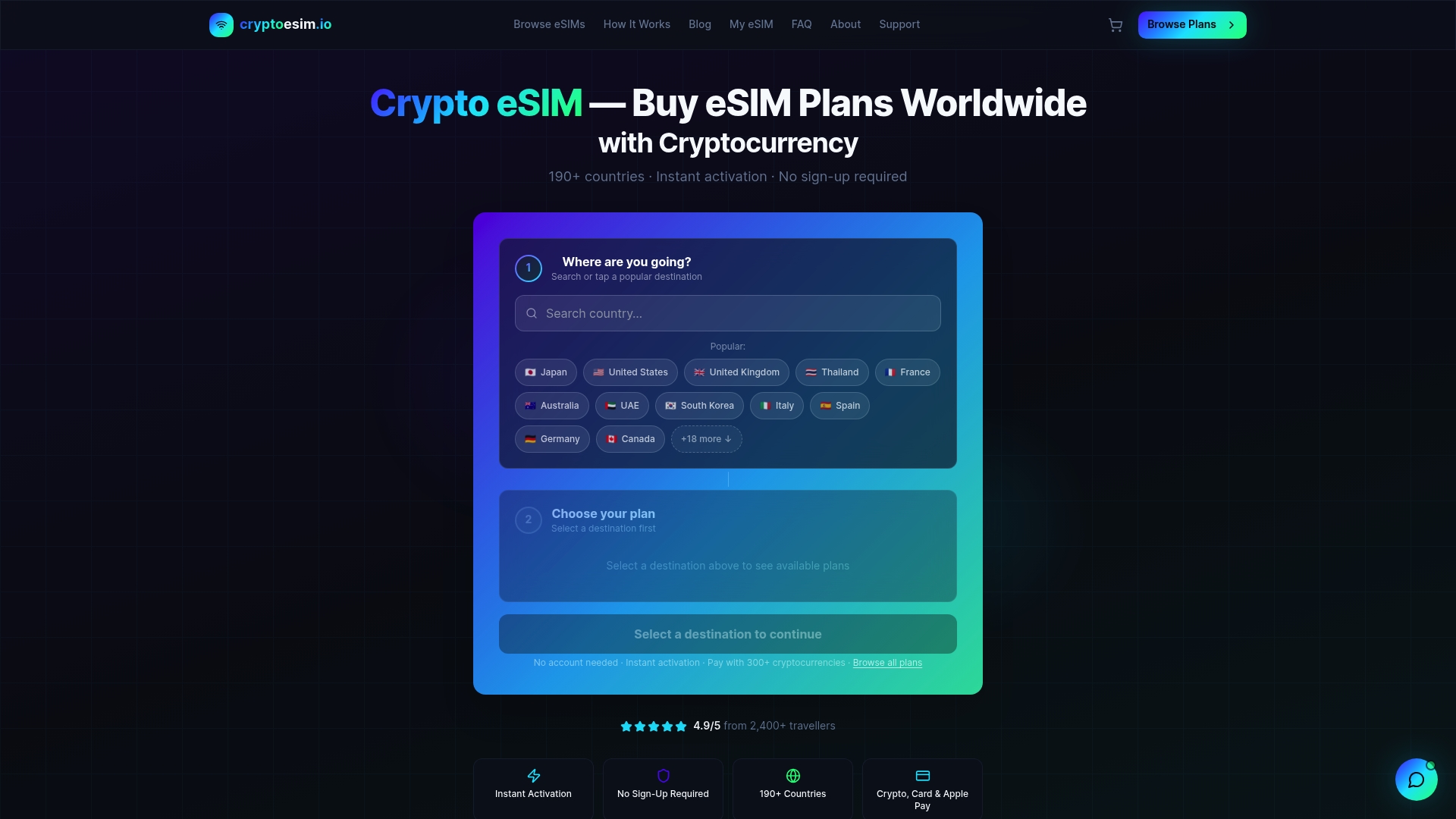
Plans are available for single countries, regions, and global coverage, so you can match the plan type to your exact itinerary. Activation is instant after purchase, which means you can complete the entire setup at home before your flight. For your next trip, browse travel data plans and activate before you pack.
FAQ
How do i check if my phone supports eSIM?
Dial *#06# on your device. If an EID number appears, your phone supports eSIM. You can also check under Settings > Cellular > Add eSIM.
What is the best eSIM setup for international travel?
Set your travel eSIM as the default data line, keep your home SIM active for calls and SMS, and disable “Allow Mobile Data Switching” to prevent unexpected roaming charges.
Can i use multiple eSIM profiles on one device?
Yes. Many devices store 8 or more eSIM profiles simultaneously. Apple iPhone models on iOS 17 and later let you switch between stored profiles in seconds without purchasing a new plan.
Why am i not receiving OTP codes while traveling?
Your home SIM may have lost signal or been disabled. Keep your home SIM active with data roaming turned off so it can still receive SMS verification codes from banking and communication apps.
Should i buy an eSIM plan before or after i land?
Buy and activate before you land. Activating on Wi-Fi at home takes minutes and guarantees you have data the moment you step off the plane.