Easy eSIM purchase process: crypto-friendly travel guide

Traveling internationally often means scrambling for local SIM cards at airports, dealing with language barriers, and paying inflated roaming fees. For digital nomads and tech-savvy travelers, this outdated process wastes precious time and money. Crypto-friendly eSIMs eliminate these headaches by offering instant activation, anonymous purchases, and global coverage without physical cards. This guide walks you through the complete process of purchasing and activating an eSIM using cryptocurrency, ensuring you stay connected the moment you land.
Table of Contents
- Preparing For An Easy ESIM Purchase: What You Need Before You Start
- The Easy Step-By-Step Crypto ESIM Purchase And Activation Process
- Troubleshooting Common Issues And Tips For Smooth Activation
- What To Expect After Successful ESIM Activation And Ongoing Benefits
- Explore Seamless Crypto-Friendly ESIM Plans At CryptoeSIM.io
Key takeaways
| Point | Details |
|---|---|
| Instant digital delivery | eSIM QR codes arrive via email within minutes after crypto payment confirmation |
| No identity verification | Cryptocurrency payments eliminate KYC requirements, preserving traveler privacy |
| Global coverage | Access mobile data across 180+ countries without swapping physical SIM cards |
| Multiple crypto options | Pay with Bitcoin, Ethereum, USDT, and 20+ other cryptocurrencies for flexibility |
| Simple activation | Scan QR code, enable Data Roaming, and connect instantly on arrival |
Preparing for an easy eSIM purchase: what you need before you start
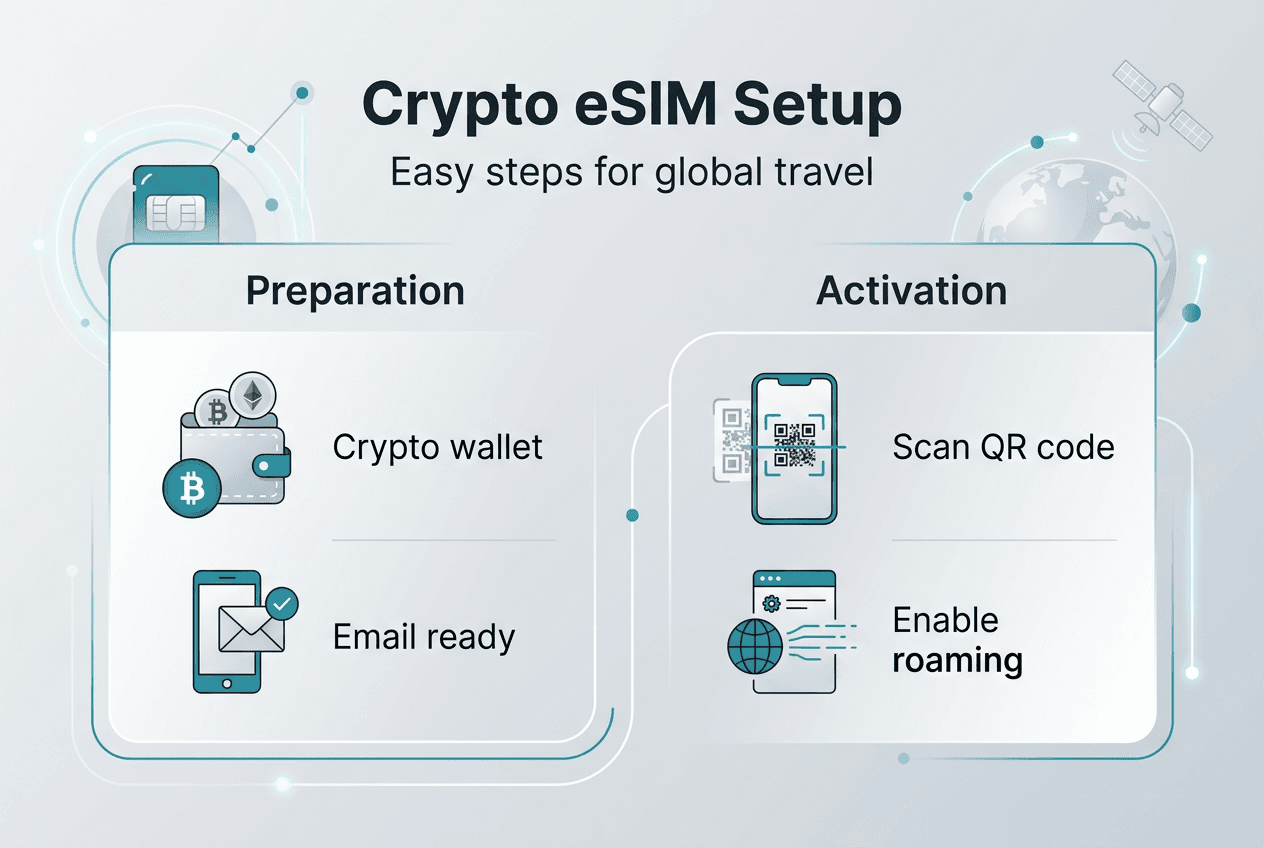
Before diving into your crypto-friendly eSIM purchase, preparation ensures a smooth transaction and activation. The first critical step is verifying your device supports eSIM technology. Most recent smartphones including iPhone XS and newer, Google Pixel 3 and later, and Samsung Galaxy S20 onwards offer eSIM compatibility. Tablets and smartwatches from major manufacturers also support this digital SIM format. Checking compatibility prevents frustration after purchase.
Next, ensure you have a functional cryptocurrency wallet loaded with supported digital currencies. Popular crypto-friendly eSIM providers accept Bitcoin, Ethereum, Tether, and numerous altcoins. Your wallet should contain sufficient funds to cover your chosen data plan plus minimal transaction fees. Wallet apps like MetaMask, Trust Wallet, or hardware wallets like Ledger work seamlessly for these purchases. Keep your wallet accessible on your phone or computer for quick payment.
Identifying your travel destinations helps you select the optimal data plan. Digital nomads waste time hunting for physical SIM cards in unfamiliar countries, but eSIMs solve this by offering regional or global packages. List every country you plan to visit and verify coverage before purchasing. Some plans cover single nations while others span entire continents or worldwide networks. Matching your itinerary to plan coverage prevents connectivity gaps.
Understanding activation requirements saves troubleshooting later. After installation, you must enable Data Roaming in your device settings and designate the eSIM as your primary cellular data line. Many travelers forget this step and wonder why their connection fails. Familiarize yourself with your phone’s settings menu before departure. Knowing where to find cellular options streamlines activation when you land.
Finally, prepare a valid email address for receiving your eSIM QR code. Providers deliver activation codes instantly after payment confirmation, so use an email you can access immediately. Avoid temporary or rarely checked addresses. Your QR code contains the SM-DP+ address and activation profile needed for installation, making email delivery the cornerstone of the entire process.
Pro Tip: Screenshot your QR code and save it to cloud storage as backup. If you lose your phone or need to reinstall the eSIM profile, having a secure copy prevents repurchasing.
Device compatibility checklist
| Device Type | Compatible Models | Verification Method |
|---|---|---|
| iPhone | XS, XR, 11, 12, 13, 14, 15, 16 series | Settings > Cellular > Add eSIM option |
| Android | Pixel 3+, Galaxy S20+, recent flagships | Settings > Network > SIM card manager |
| iPad | Pro 11-inch, Air, Mini (cellular models) | Settings > Cellular Data > Add Data Plan |
The easy step-by-step crypto eSIM purchase and activation process
Purchasing an eSIM with cryptocurrency combines simplicity with privacy benefits unavailable through traditional payment methods. The eSIM purchase process involves selecting plan, entering email, paying with crypto, and instant QR code delivery. Start by visiting a crypto-friendly eSIM provider and browsing available data plans. Filter by destination, data allowance, and validity period to find your ideal match. Plans range from 1GB for short trips to unlimited data for extended stays.
After selecting your plan, the checkout process requests only your email address. Unlike traditional carriers demanding passport copies and billing addresses, crypto purchases require zero personal information. Enter your email carefully since this receives your activation QR code. Double-check for typos before proceeding. The platform generates a unique payment address for your transaction.
Choosing your cryptocurrency comes next. Cryptorefills supports over 20 cryptocurrencies including Bitcoin, Ethereum, Tether, and various stablecoins. Stablecoins like USDC or USDT offer price predictability, while Bitcoin provides maximum privacy. Select your preferred currency and the platform displays the exact amount to send plus the destination wallet address. Copy this address carefully or scan the provided QR code with your wallet app.
Initiate the payment from your crypto wallet by pasting the destination address and entering the specified amount. Review transaction details before confirming, as blockchain transactions are irreversible. After broadcasting your payment, the blockchain typically confirms within minutes, though Bitcoin may take longer during network congestion. Most providers accept payments after one confirmation for faster processing.
Your eSIM QR code arrives via email immediately after payment confirmation. Open the email on your device and locate the QR code image. This code contains your eSIM profile and activation credentials. To install, navigate to your device’s cellular settings and select “Add eSIM” or “Add Data Plan.” Your camera activates automatically. Position the QR code within the frame until your device recognizes and downloads the profile.
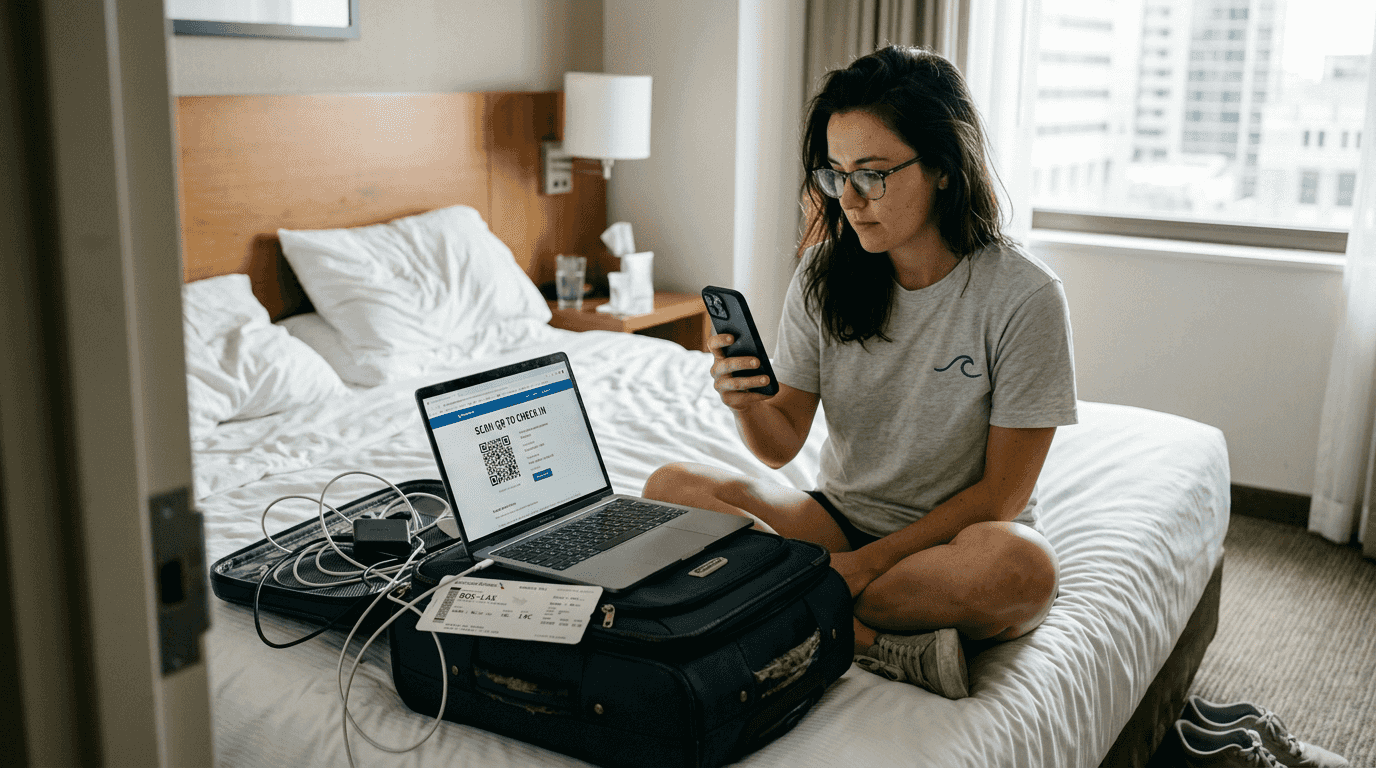
Complete activation by enabling Data Roaming and setting the eSIM as your default cellular data line. Without Data Roaming enabled, your eSIM cannot connect to foreign networks. Access your settings, find the newly installed eSIM profile, and toggle Data Roaming to ON. Then designate this eSIM as your primary data source while keeping your home SIM for calls and texts if needed.
Pro Tip: Install your eSIM before departure while connected to WiFi. This lets you troubleshoot any issues at home rather than scrambling at the airport.
Crypto payment comparison
| Cryptocurrency | Transaction Speed | Privacy Level | Typical Fees |
|---|---|---|---|
| Bitcoin | 10-60 minutes | High | $1-5 |
| Ethereum | 1-5 minutes | Medium | $0.50-3 |
| USDT (TRC20) | 1-3 minutes | Medium | $0.10-1 |
| Lightning Network | Instant | High | $0.01-0.10 |
Troubleshooting common issues and tips for smooth activation
Even straightforward processes encounter occasional hiccups. The most frequent activation failure stems from disabled Data Roaming. Data Roaming must be toggled ON to ensure the eSIM works properly. Navigate to your cellular settings, locate your eSIM profile, and verify Data Roaming shows as enabled. Some devices hide this setting under advanced options, so explore thoroughly if you cannot find it immediately.
QR code scanning failures frustrate users who followed every step correctly. If your device refuses to recognize the QR code, first verify your email arrived completely and the image displays clearly. Poor lighting or screen glare can prevent camera recognition. Move to a well-lit area and increase your screen brightness. Alternatively, manually enter the SM-DP+ address and activation code provided alongside the QR code. This address is crucial for smooth profile installation and contains the server location hosting your eSIM credentials.
Payment confirmation delays occasionally occur during blockchain network congestion. If your QR code does not arrive within 15 minutes, check your transaction status using a blockchain explorer. Paste your transaction ID to verify confirmation status. Once confirmed on-chain, contact provider support with your transaction hash if the email still has not arrived. Most platforms monitor payments automatically and resolve delays quickly.
Network conflicts arise when multiple SIM profiles compete for cellular priority. After installing your eSIM, access cellular settings and explicitly designate it as your default data line. Disable cellular data on your physical SIM to prevent confusion. Your device should now route all internet traffic through the eSIM while maintaining your home number for calls.
Pro Tip: Save your QR code email and purchase confirmation in a dedicated travel folder. If you factory reset your device or switch phones, you can reinstall the eSIM profile using the original QR code without repurchasing.
“The SM-DP+ address embedded in your QR code acts as the bridge between your device and the eSIM profile server. Without this address, activation cannot proceed, making it the most critical component of the installation process.”
- Verify Data Roaming is enabled immediately after installation
- Keep your activation email accessible throughout your trip
- Test connectivity before leaving WiFi coverage
- Contact support within 24 hours if activation fails completely
What to expect after successful eSIM activation and ongoing benefits
Once activated, your eSIM delivers immediate mobile data access the moment you arrive in your destination country. Unlike physical SIMs requiring airport kiosk visits or local store purchases, your connection activates automatically when you land. Your device detects available networks and connects seamlessly. This instant connectivity lets you order rideshares, access maps, and contact accommodations without searching for WiFi hotspots.
Global coverage spanning 180+ countries provides unmatched flexibility for multi-destination trips. A single eSIM profile often covers entire regions, eliminating the need to purchase separate SIMs for each country. Your device switches between partner networks automatically as you cross borders. This seamless roaming mirrors premium carrier plans at a fraction of the cost.
Privacy advantages distinguish crypto-purchased eSIMs from traditional options. Anonymous purchases without KYC preserve your personal information and travel patterns. No passport scans, no billing addresses, no identity verification. Your mobile connectivity remains completely private. For digital nomads and privacy-conscious travelers, this anonymity proves invaluable.
Cost savings accumulate quickly compared to traditional roaming. International roaming fees from home carriers often exceed $10 per day with limited data allowances. eSIM plans typically cost $5-20 for multi-gigabyte packages valid for weeks. Crypto payments yield lower fees, privacy, and faster settlement ideal for international data access. Avoiding currency exchange fees and banking restrictions further reduces total costs.
Digital flexibility transforms how you manage connectivity. Need more data mid-trip? Purchase and install an additional eSIM profile in minutes without visiting stores. Switching between networks for better coverage requires only a settings adjustment. Managing multiple eSIM profiles on a single device lets you maintain separate work and personal lines or optimize for different regions.
- Instant connection upon arrival eliminates airport SIM card hunting
- Multi-country coverage simplifies regional travel logistics
- Zero personal data collection protects privacy
- Significant cost savings versus traditional roaming
- Easy plan switching and management from your device
Coverage and benefits overview
| Benefit Category | Traditional Roaming | Crypto eSIM |
|---|---|---|
| Countries Covered | Limited by carrier | 180+ globally |
| Activation Time | Hours to days | 2-5 minutes |
| Privacy Protection | Full KYC required | Anonymous purchase |
| Average Daily Cost | $10-15 | $1-3 |
Explore seamless crypto-friendly eSIM plans at CryptoeSIM.io
Ready to experience hassle-free international connectivity? CryptoeSIM.io specializes in instant eSIM delivery with support for over 20 cryptocurrencies including Bitcoin, Ethereum, and popular stablecoins. Coverage spans 190+ countries with no account creation, no identity verification, and no waiting periods.
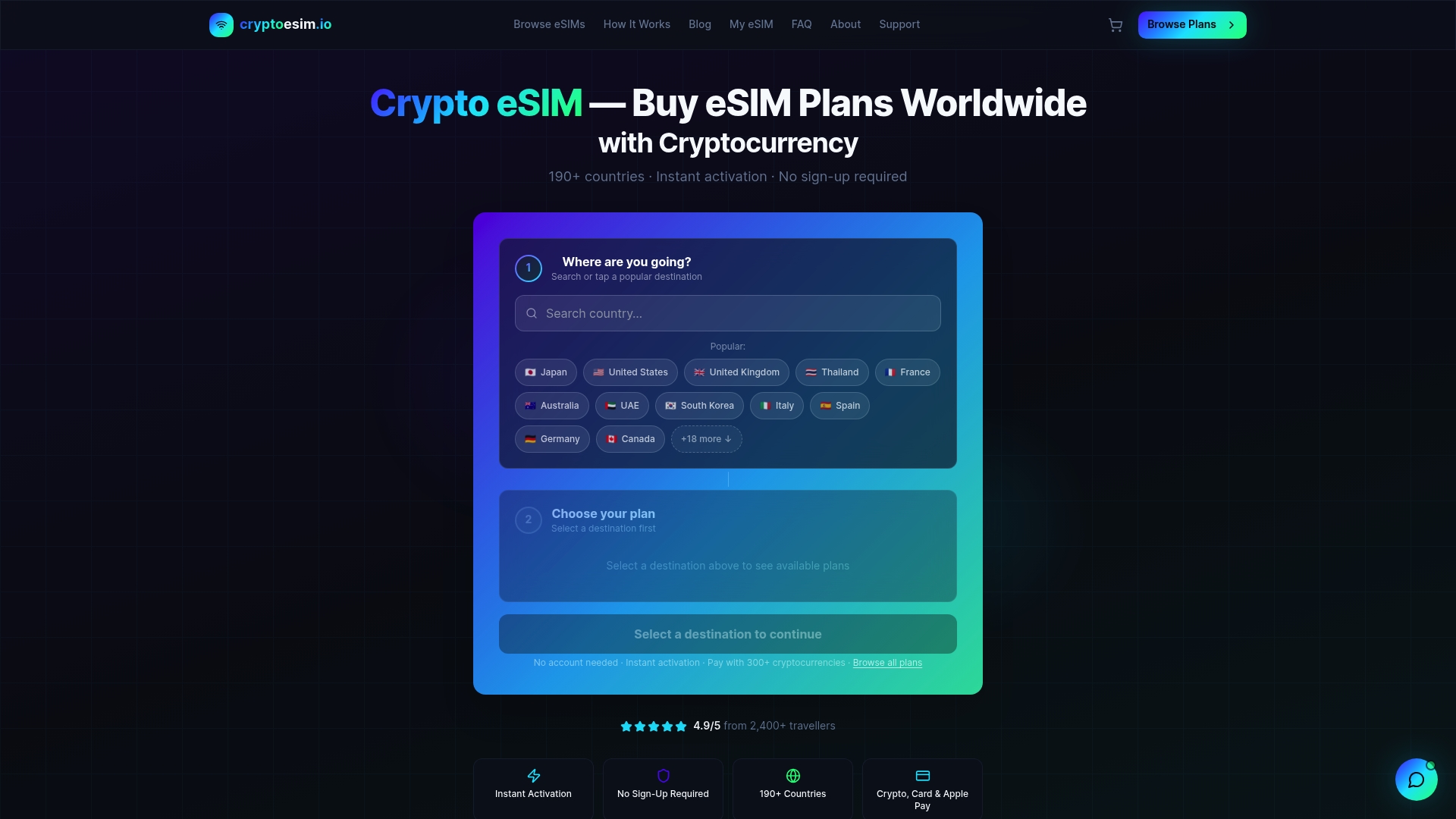
Digital nomads and international travelers choose CryptoeSIM.io for its combination of privacy, speed, and global reach. Purchase your plan in minutes, receive your QR code instantly, and activate on arrival. Whether you need data for a weekend getaway or extended remote work abroad, crypto-friendly eSIM solutions provide the connectivity you need without the traditional carrier headaches.
FAQ
Can I purchase an eSIM without a physical SIM card?
Yes, eSIMs are completely digital and require no physical SIM card whatsoever. The entire purchase, delivery, and activation process occurs electronically through QR codes and device settings. Your compatible smartphone or tablet downloads the eSIM profile directly, eliminating the need for any physical component.
Which cryptocurrencies can I use to buy eSIM data plans?
Major crypto-friendly eSIM providers accept Bitcoin, Ethereum, Tron, Solana, USDC, USDT, and over 20 others for payment. This flexibility lets you choose based on transaction speed preferences, privacy considerations, or existing wallet holdings. Stablecoins offer price predictability while Bitcoin maximizes anonymity.
How quickly can I activate my eSIM after purchase?
Instant activation within seconds or minutes follows blockchain payment confirmation. Your QR code typically arrives via email within 2-5 minutes of transaction confirmation. Once received, scanning and installing the profile takes under one minute, giving you connectivity almost immediately after purchase.
Is personal identification required to purchase an eSIM with crypto?
No KYC required; eSIM purchases with cryptocurrency preserve complete anonymity. You provide only an email address for QR code delivery, with no passport scans, billing addresses, or identity documents needed. This privacy protection appeals to travelers prioritizing data security and personal information control.
Can I use multiple eSIM profiles on one device?
Most modern smartphones support multiple eSIM profiles simultaneously, though only one or two can be active at a time depending on your device model. This capability lets you maintain separate profiles for different regions, switch between carriers for better coverage, or keep work and personal lines distinct. Manage all profiles through your device’s cellular settings without physical SIM swapping.