Mobile Internet Without SIM: 2026 Traveler’s Guide

TL;DR:
- Mobile internet without a SIM card uses digital profiles like eSIMs or virtual SIM hotspots to connect to cellular networks. These options eliminate the need for physical SIM cards, offering greater convenience, security, and flexibility for travelers and remote workers. However, true cellular access without some form of SIM credential remains impossible.
Mobile internet without a SIM card is defined as accessing cellular data services through technologies that replace or bypass the physical SIM card, specifically eSIMs, virtual SIM (vSIM) hotspots, and tethering from devices that already carry an active SIM. For travelers and remote workers, this distinction matters because it determines how fast you get online, what you pay, and how much gear you carry. Technologies like eSIM and vSIM have matured enough in 2026 that physical SIM swapping is largely optional. Platforms like Cryptoesim cover over 190 countries with instant digital activation, and Netgear produces dedicated hotspot hardware that runs on vSIM profiles. Understanding your options before you board a flight or set up a remote office saves money and frustration.
What is mobile internet without SIM, and how does it work?
Mobile internet without a SIM card means your device connects to cellular networks using a digital profile instead of a plastic card. Three core technologies make this possible: eSIM, virtual SIM (vSIM), and tethering.

eSIM is a chip soldered directly into your device. Instead of inserting a physical card, you download a carrier profile over the air. Apple, Samsung, and Google have all shipped eSIM-compatible devices for several years. You buy a plan, scan a QR code, and you are online within minutes. The eSIM holds multiple profiles simultaneously, so switching carriers requires no hardware change.
Virtual SIM (vSIM) takes the concept further. A vSIM-enabled hotspot device downloads network profiles automatically, connecting to the best available local network without any physical card. These devices work in over 140 countries with automatic network switching built in. That means you land in Tokyo, power on the device, and it finds the strongest local carrier on its own.
Tethering is the third method. Your phone shares its cellular connection as a Wi-Fi hotspot for nearby devices. The phone itself still needs a SIM or eSIM to access the cellular network. The laptop or tablet connecting to it does not. This is the most common way people use mobile data without a SIM on a secondary device.
Key distinctions to keep in mind:
- An eSIM replaces the physical card entirely on the device that holds it.
- A vSIM hotspot abstracts the SIM function into cloud-managed profiles.
- Tethering borrows an existing connection from another device that has a SIM or eSIM.
- None of these methods create cellular access from nothing. They all rely on a digital or physical SIM somewhere in the chain.
What are the pros and cons of sim-less mobile internet options?
Choosing between eSIM, vSIM hotspots, and tethering comes down to your usage pattern, device setup, and budget. Each option has real trade-offs.
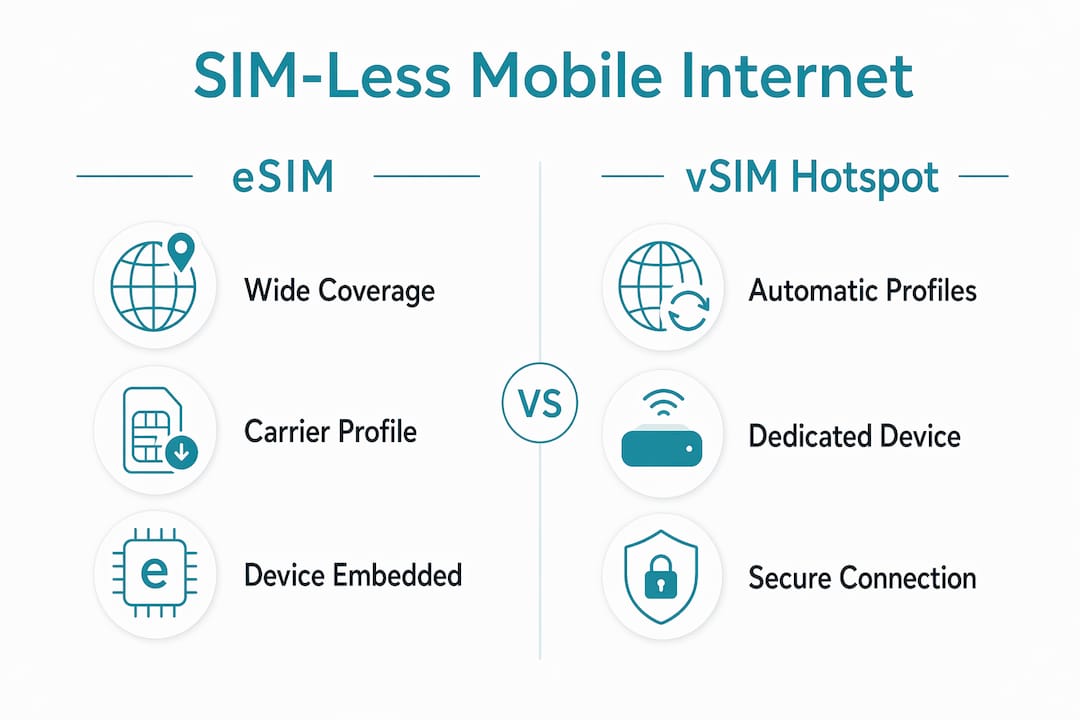
| Option | Coverage | Security | Devices Supported | Best For |
|---|---|---|---|---|
| eSIM | 190+ countries (varies by plan) | Carrier-grade | 1 (the eSIM device) | Travelers with compatible phones |
| vSIM Hotspot | 140+ countries, auto-switching | WPA3 encryption | 30+ simultaneously | Remote workers, teams |
| Phone Tethering | Depends on host SIM plan | Basic Wi-Fi security | 1–3 devices | Occasional, short-term sharing |
| Physical SIM | Local carrier only | Carrier-grade | 1 (the SIM device) | Long-term stays in one country |
eSIM and vSIM both eliminate the need to handle physical cards, which is the single biggest convenience win for frequent travelers. You can carry one device and switch between dozens of carrier plans digitally.
Dedicated mobile hotspots offer a clear security advantage. WPA3 encryption and longer battery life make them the stronger choice for remote work across multiple devices. Netgear’s hotspot line, for example, supports over 30 simultaneous connections. Phone tethering typically maxes out at 1–3 devices and drains your phone battery fast.
The cost picture is more nuanced. vSIM hotspots are convenient for short trips but can be more expensive than a local eSIM plan for stays longer than a week. If you are spending a month in one country, a regional eSIM plan from a provider like Cryptoesim will almost always cost less than a pay-as-you-go vSIM device.
Pro Tip: If you are working remotely across multiple countries in a single month, pair an eSIM plan for your phone with a vSIM hotspot for your laptop. You get redundancy and avoid draining your phone battery during video calls.
Security is worth a separate mention. Tethering from your phone creates a Wi-Fi network, but its security depends on your phone’s settings and the carrier’s infrastructure. Dedicated hotspots with WPA3 are harder to intercept. For anyone handling sensitive client data on the road, the hotspot is the safer tool.
Can you get mobile internet without any SIM or eSIM?
The short answer is no, not through cellular networks. A SIM or eSIM is the fundamental credential that identifies your device to a carrier. Without one, no cellular tower will grant you access. This is a network architecture rule, not a device limitation.
That said, several practical alternatives exist for staying connected without your own SIM:
- Public Wi-Fi: Airports, hotels, cafes, and coworking spaces offer free or paid Wi-Fi. Reliability and speed vary widely. A VPN from a trusted security provider is strongly recommended on public networks.
- USB or Bluetooth tethering: You connect your laptop directly to a friend’s or colleague’s phone via USB cable. USB tethering can bypass some wireless hotspot restrictions and often delivers a more stable connection than Wi-Fi sharing.
- Portable modems with a borrowed SIM: A travel router or USB modem accepts a SIM from any source. If a local contact gives you a SIM, you insert it into the modem and share the connection across your devices.
- Offline content apps: Apps like Netflix, Spotify, Google Maps, and Notion all support offline modes. Downloading content before you lose connectivity is not internet access, but it covers a large portion of typical usage.
- Satellite internet: Services like Starlink now offer portable terminals for travelers. These do not use cellular SIM cards at all. They are expensive and bulky, but they work in genuinely remote locations where no cellular signal exists.
One important clarification: software restrictions by manufacturers prevent most phones from creating a hotspot without a SIM installed. This is a policy decision, not a hardware limitation. Carriers and manufacturers enforce it to protect data plan revenue. Rooted Android devices can sometimes bypass this, but doing so voids warranties and introduces security risks.
The realistic picture for most users is this: true SIM-less internet on a cellular network does not exist. What exists is a spectrum of options that either use a digital SIM (eSIM or vSIM) or borrow connectivity from a device that has one.
How to choose the right sim-less internet solution for travel and remote work
Picking the right option requires matching the solution to your actual usage, not the most technically impressive option available.
- Assess your data needs first. Light users checking email and maps need far less than someone running video calls eight hours a day. Most eSIM plans from providers like Cryptoesim offer tiered data packages, so you pay only for what you use.
- Check device compatibility. Not every phone supports eSIM. Older Android devices and some budget models still require physical SIMs. Check your device specs before purchasing a digital plan.
- Research coverage in your destination. eSIM and vSIM plans vary significantly by region. A plan that covers Western Europe may not include rural Southeast Asia. Cryptoesim covers 190+ countries, which reduces this risk considerably.
- Match the solution to your team size. Solo traveler with a compatible phone? An eSIM plan is the simplest path. Managing connectivity for a team of four? A vSIM hotspot supporting 30+ devices is the more practical tool.
- Activate before you land. Most eSIM plans allow pre-activation. Set up your plan at home, on a reliable Wi-Fi connection, so you are online the moment you arrive.
- Manage battery proactively. Tethering from your phone is the fastest way to kill your battery mid-day. If you rely on your phone as a hotspot, carry a power bank rated at least 20,000mAh.
Pro Tip: Purchase eSIM plans that offer digital activation with no account creation required. This saves time at the airport and protects your privacy by keeping your personal data off carrier databases.
Key takeaways
Mobile internet without a SIM card is fully achievable through eSIM, vSIM hotspot, or tethering technologies, and each option suits a different traveler or remote worker profile.
| Point | Details |
|---|---|
| eSIM replaces physical cards | Download a carrier profile digitally and switch plans without touching hardware. |
| vSIM hotspots cover 140+ countries | Devices auto-connect to the best local network, ideal for multi-country trips. |
| Tethering borrows, not creates | Your secondary device gets internet from a host phone that still needs a SIM or eSIM. |
| True SIM-free cellular is impossible | No cellular network grants access without a SIM or eSIM credential somewhere in the chain. |
| Match solution to usage and team size | Solo travelers benefit from eSIM plans; teams benefit from dedicated vSIM hotspot devices. |
The physical SIM is already obsolete for most travelers
I have been watching the SIM card slowly lose relevance for the past several years, and in 2026, I think the tipping point has passed. The travelers and remote workers I see struggling most are not the ones who forgot to buy a local SIM. They are the ones who bought one, lost it, or discovered it did not work in the next country over.
The conventional wisdom used to be: buy a local SIM at the airport, get the best local rates, deal with the hassle. That advice made sense when eSIM plans were expensive and limited. It does not hold up anymore. Regional eSIM plans now cover dozens of countries under a single purchase, and providers like Cryptoesim let you pay with Bitcoin or a credit card without creating an account. The friction is gone.
What I tell people now is to stop treating connectivity as something you figure out after landing. Treat it like your passport. Handle it before you leave. An eSIM takes five minutes to activate on your couch. A vSIM hotspot ships to your door and powers on automatically when you arrive. There is no good reason to stand in an airport SIM kiosk line in 2026.
The one area where I still see real trade-offs is cost on extended stays. vSIM devices are genuinely more expensive per gigabyte than a local eSIM plan for a month-long stay. If you are working remotely from one city for more than two weeks, a regional eSIM plan will save you money. Use the vSIM hotspot for the fast-moving weeks and switch to a dedicated plan when you settle.
— Mohammed
Get connected instantly with Cryptoesim
Cryptoesim makes mobile internet without a physical SIM card straightforward for travelers and remote workers worldwide. The platform covers 190+ countries with instant digital activation, no account creation required, and no KYC process to slow you down.
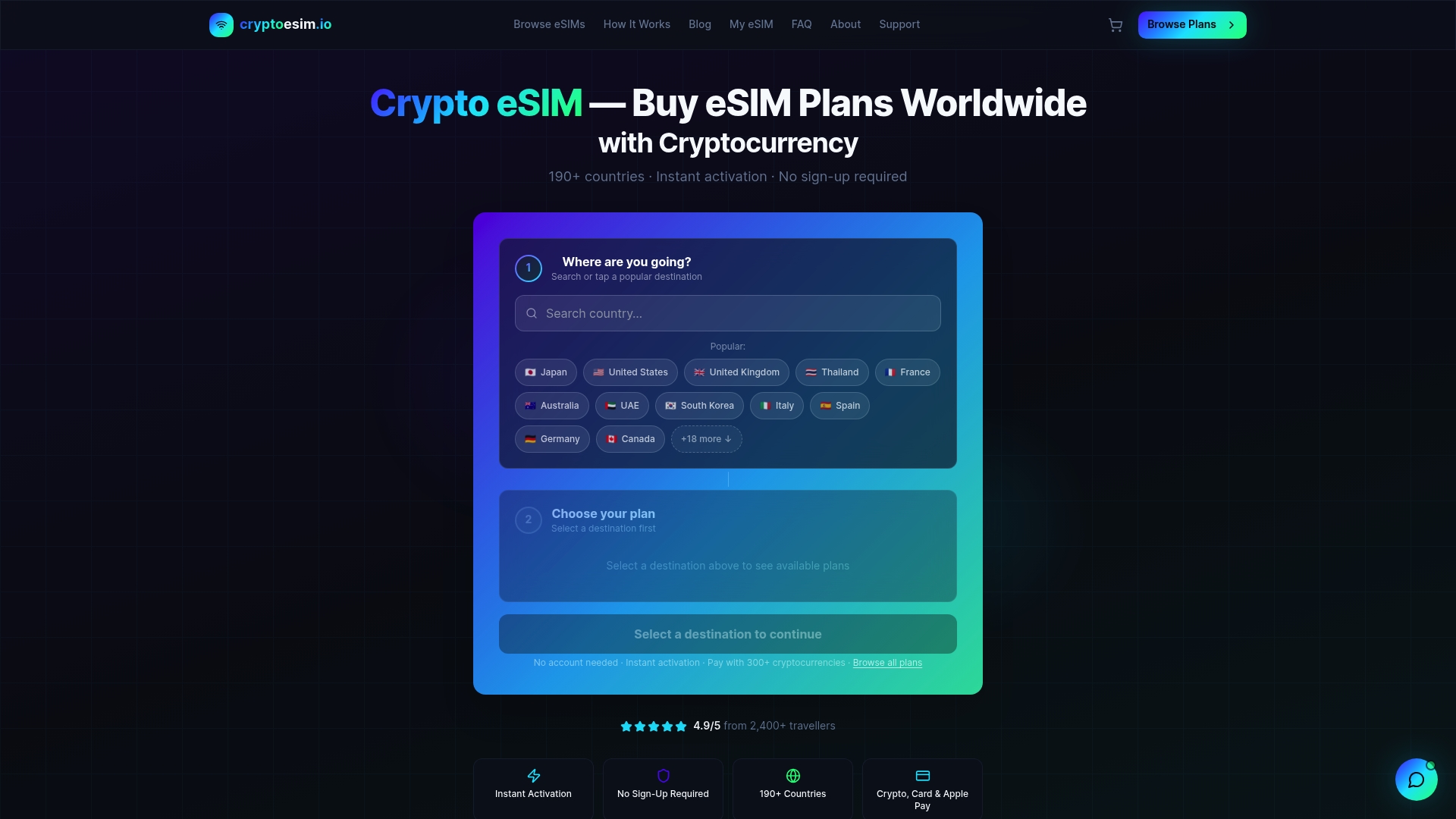
You can purchase an eSIM data plan using Bitcoin, Ethereum, over 300 other crypto tokens, a credit card, or Apple Pay. Plans activate within minutes and work across all major eSIM-compatible devices. For travelers who want a backup option or need coverage across multiple regions, Cryptoesim also offers multi-country packages that remove the need to buy separate plans at every border. Stop managing plastic cards and start managing your data the way everything else in your life works: digitally.
FAQ
What is mobile internet without a SIM card?
Mobile internet without a SIM card refers to accessing cellular data through an eSIM, vSIM hotspot, or tethering from a device that holds an active SIM. The physical card is replaced by a digital profile or borrowed connection.
Can you use mobile data without a physical SIM?
Yes. Devices with eSIM support download carrier profiles digitally and connect to cellular networks without a physical card. vSIM hotspot devices do the same across 140+ countries with automatic network switching.
Is it possible to create a wi-fi hotspot without a SIM?
Most phones require a SIM or eSIM to activate the hotspot function. This is a manufacturer-imposed software restriction, not a hardware limitation, designed to protect carrier data plan agreements.
How does tethering work as a sim-free internet option?
Tethering shares a cellular connection from one device to others over Wi-Fi, USB, or Bluetooth. The receiving device needs no SIM, but the host device must have an active SIM or eSIM. Tethering typically supports 1–3 connected devices before performance drops.
Which sim-less internet option is best for remote workers?
Dedicated vSIM hotspot devices are the strongest choice for remote workers. They support 30+ simultaneous connections, use WPA3 encryption, and offer longer battery life than phone tethering. For solo workers with a compatible phone, an eSIM plan from a provider like Cryptoesim is the most cost-effective path.